Reverse Engineering a Basic Malware Sample
- 4 minsThis was a project I worked on whilst taking a software reverse engineering class.
I. PURPOSE:
The purpose of this lab is to reverse engineer a malware and figure out its capabilities, commands, who the author is, protocol it uses. This lab will help us learn real world procedures to reverse engineering a live malware.
II. HYPOTHESIS:
The final outcome of the lab will be a malware report; a complete documentation of the malware’s capabilities,protocols, and commands used by its control center(C2).
III. MATERIALS
The following materials were used to analyze the malware.
- Binary Ninja
- Wireshark
- For analyzing network traffic
- PEview
- To look at file headers, and import table
- Dependency Walker
- To look at what DLLs are imported
- Linux Commands
- ‘Strings’ etc..
- Windows 7
- Environment to run the malware
IV. PROCEDURE
I used various approaches to reverse engineer this malware sample. I analyzed the malware statically using various tools first, and then I analyzed in dynamically.
Malware’s information derived from running strings command
The strings command returns each string of printable characters in files. Its main uses are to determine the contents of and to extract text from binary files (i.e., non-text files). In our case, I use Binary Ninja’s built in string function to extract the printable ascii. I can use strings command to extrapolate and guess the potential functionality of the malware.
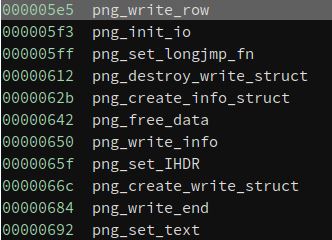

The above images show the malware might have screenshot functionality
- The error message suggests the malware saves the screenshot to a png file
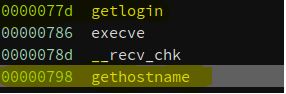
- The malware can potentially retrieve the victim’s login information, and hostname.

The number “27960” appears to be a port number. This port is used by Activision’s Enemy Territory and id Software’s Quake III ARena, Quake III and Quake Live and some ioquake3 derived games. Malware is possibly using this specific port to be masked as a video game’s network traffic.
- reclass.ddns.net → IP address → 100.16.72.17
- U.S based IP → ISP = Verizon → Reston,VA
Information derived from analyzing with PEview
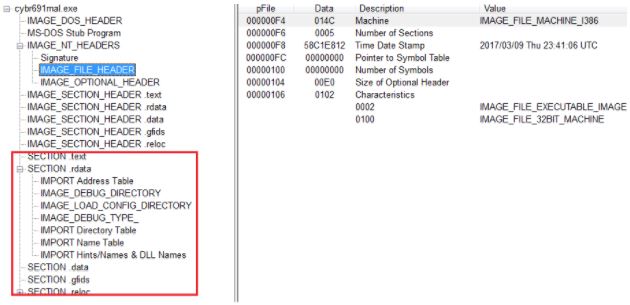
It appears the malware is not packed.
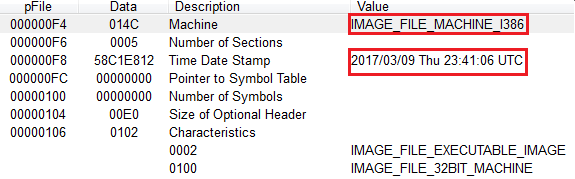
First highlight shows the executable is 32-bit. Second highlight shows that the file was compiled on March 9, 2017. On Thursday night, at “23:41:06 UTC.” We also know from looking at the executable’s strings that the IP address and domain name points to a location in the east coast of the United States. Therefore, “23:41:06 UTC” translates to 7:41 PM Eastern Time.
Looking at the Import Table using Dependency Walker
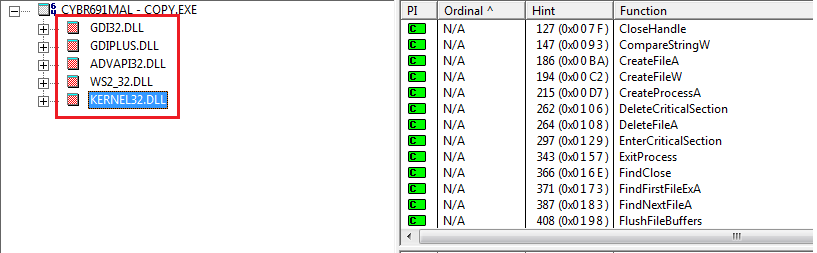
The following DLLs were imported by the malware. This does not necessarily mean the malware uses all of the imported libraries.
- GDI32.DLL
- GDI32.DLL exports Graphics Device Interface (GDI) functions that perform primitive drawing functions for output to video displays and printers
- GDIPLUS.DLL
- It enables applications to use graphics and formatted text on both the video display and the printer. Some malware camouflage themselves as “gdiplus.dll” in “C:\Windows” or “C:\Windows\System32” folders. GDI+ can be used to take a screenshot
- Probably used to capture get the victim’s screen
- ADVAPI32.DLL
- Service manager and registry
- WS2_32.DLL
- Window’s Socket API
- Kernel32.DLL
- Provides functionality to access/manipulation of memory files and hardware
Functions of interest from DLLs
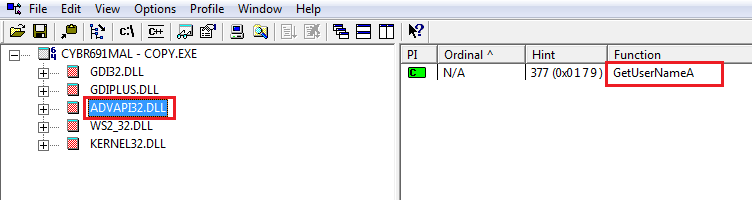
- ADVAPI32.DLL
- GetUserName() - Retrieves the name of the user associated with the current thread.

- KERNEL32.DLL
- CreateFile() - Creates a new file or opens an existing one
- DeleteFile() - Removes an existing file. _______________________________________
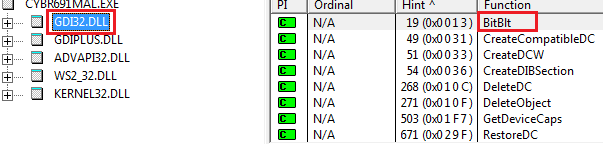
- GDI32.DLL
- BitBlt() - Function is used to copy graphic data from one device to another
- Possibly used for screenshot capabilities

- GDIPLUS.DLL
- GdipSaveImageToFile() - saves image to a file
- This function is one of the flat API functions wrapped by the Image C++ class.
- Evidence of the language used to create the malware; C++
- Malware is possibly saving the graphic data used from BitBlt() function to a file.
- Along with GetUserName(),and the use of Windows’ Socket API this can be used to identify the victim, and exfiltrate that data back to the malware’s C2.
- GdipSaveImageToFile() - saves image to a file